Android
The app with home screen widgets: available balance, quick expense entry, stats and net worth.
Download APK · v1.3.10Track your portfolio with values from your broker, measure whether the return compensates the risk, and manage income, expenses and cards in the same place. No spreadsheets, no friction. ✦ Now with AI built into your device: add expenses by typing naturally, privately and offline.
Built for how money is handled here
The Android app is here: download it directly from this page while it finishes rolling out on Google Play.
Don’t want to wait? Use Hivault on the web, it works great on your phone.
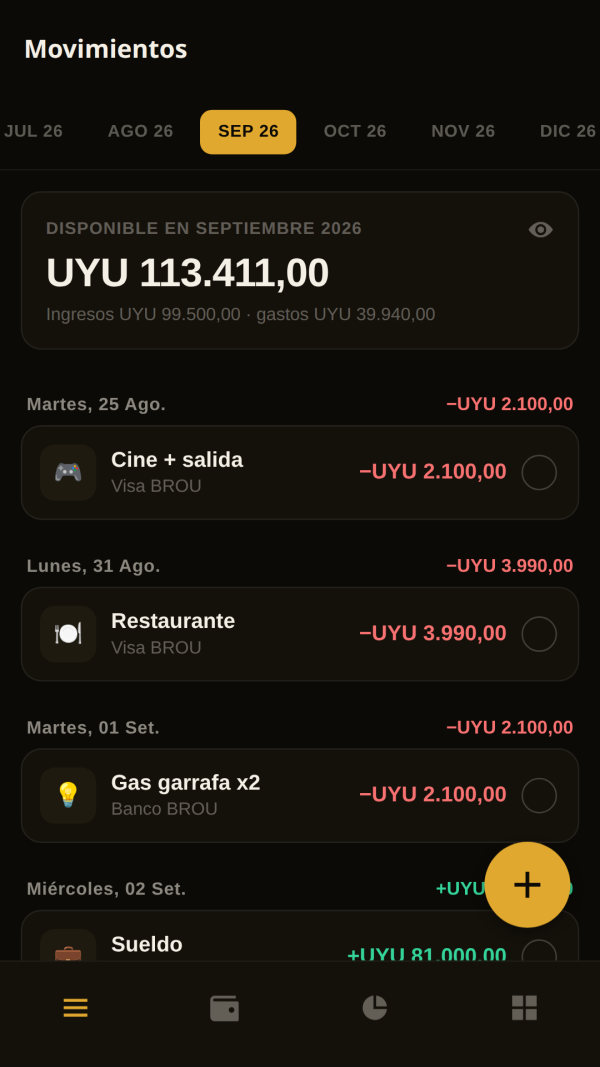
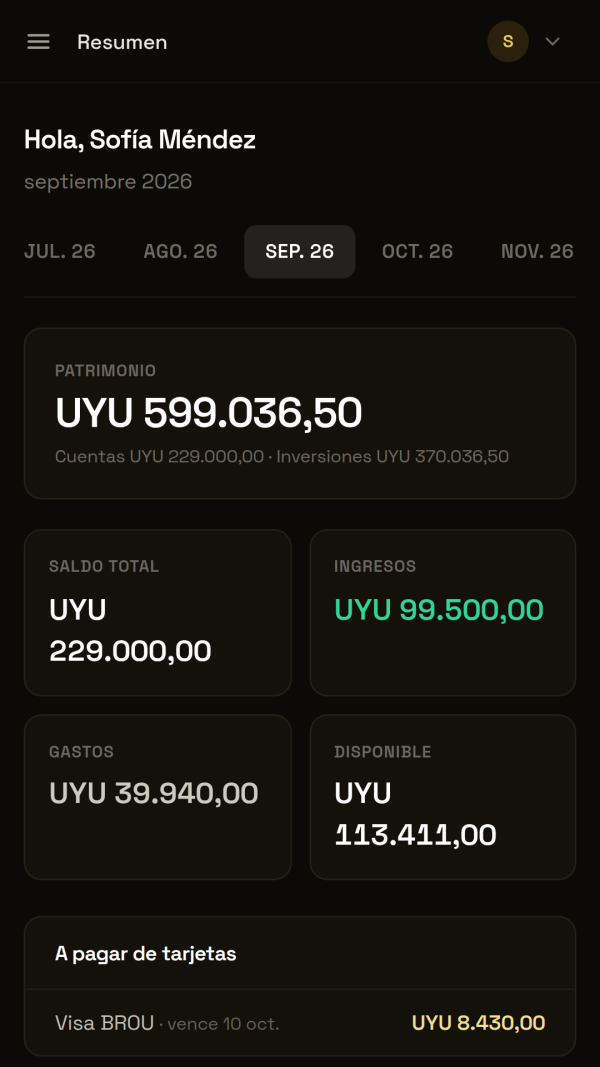
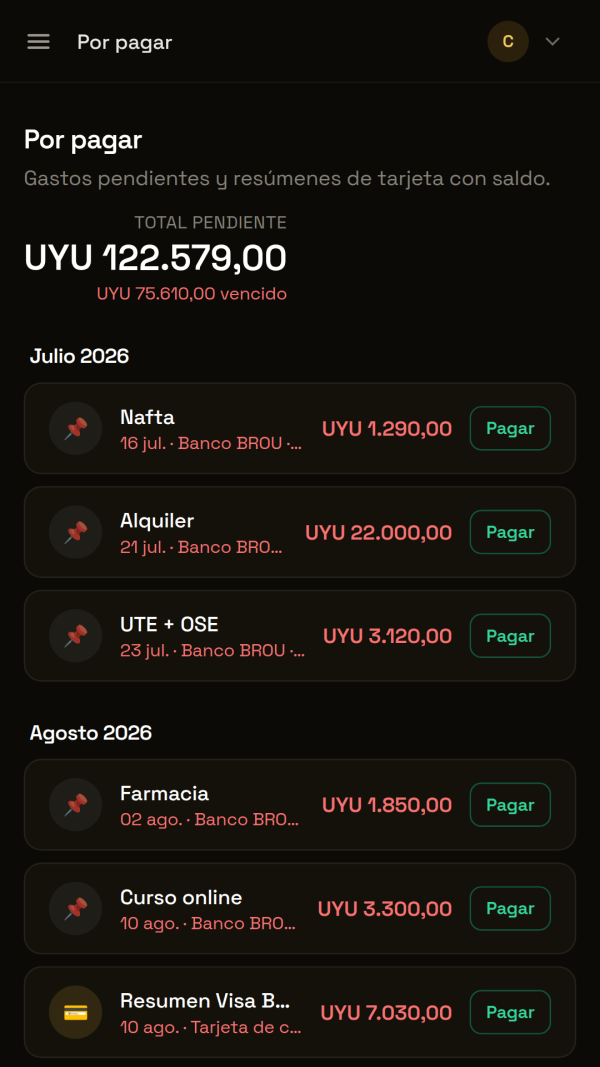
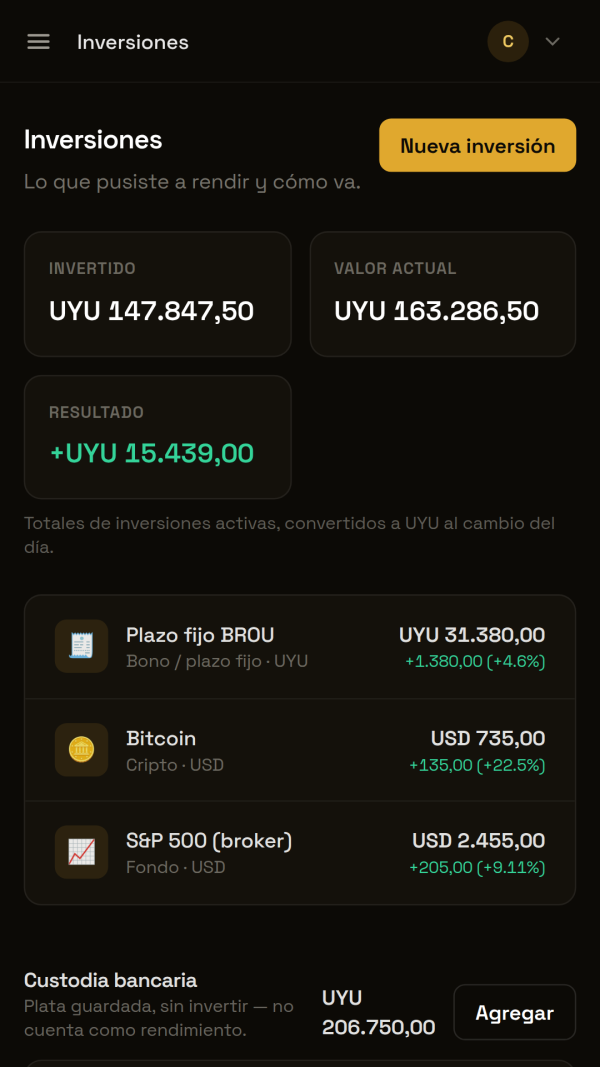
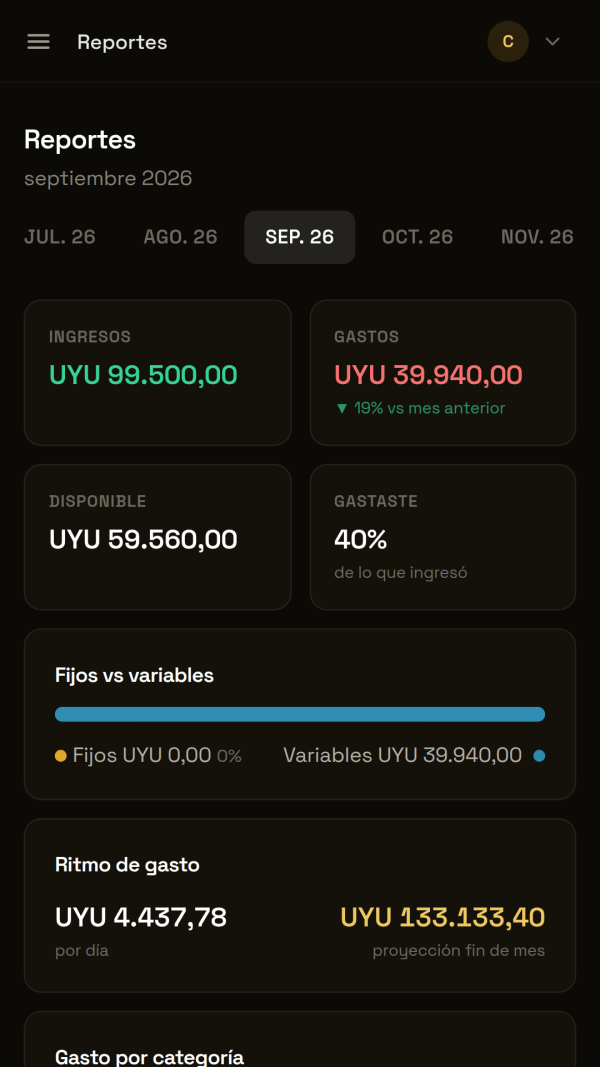
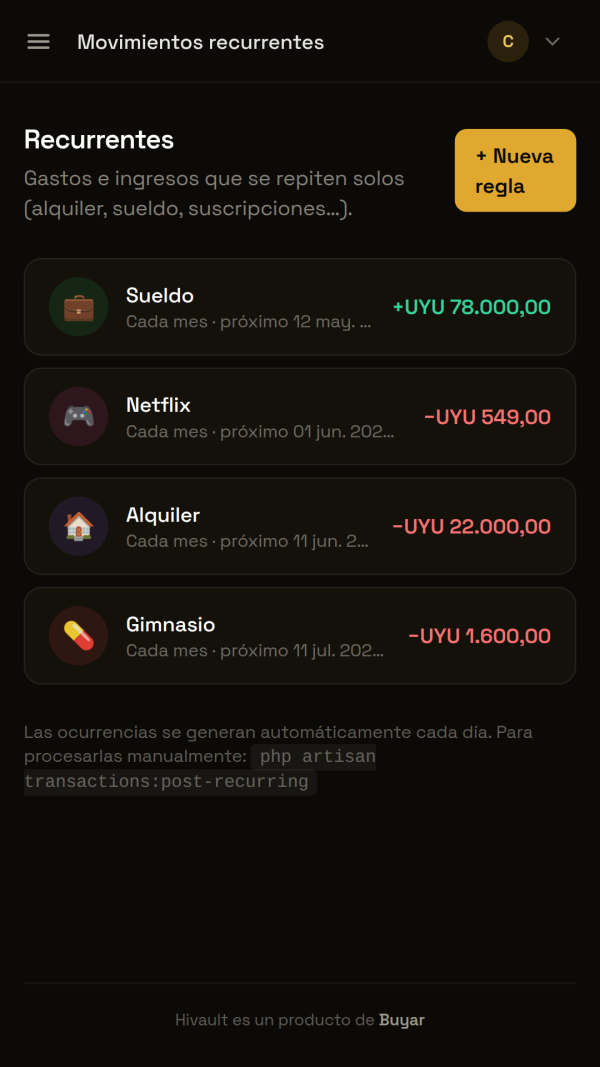
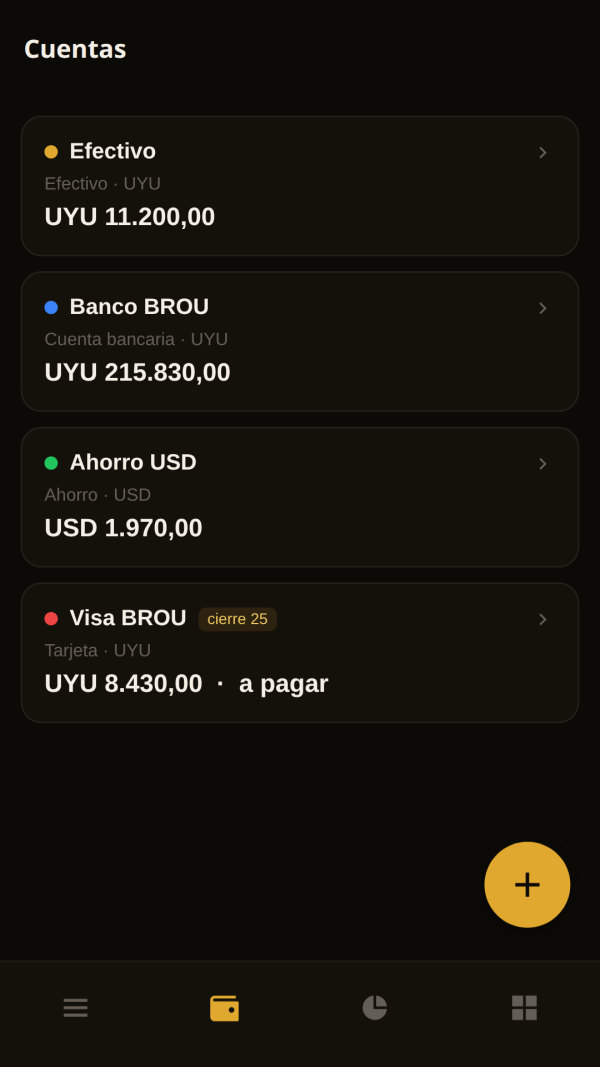
One account: what you log on your phone shows up on your PC and on the web instantly.
The app with home screen widgets: available balance, quick expense entry, stats and net worth.
Download APK · v1.3.10Desktop app for Windows 10 and 11, with system tray and keyboard shortcuts. v1.0.0
DownloadDesktop app for Linux (AppImage, runs without installing).
Download or as .tar.gzIn the browser, nothing to install. On iPhone: Share → “Add to Home Screen” and it works like an app.
Start for freeTo update, download the new version from this page and install it over the old one: your data stays in your account.
Versions, what's new and requirements →
Windows 10 or 11 (64-bit) · Linux 64-bit · Android 7 or later
Hivault started as an expense app and today it is, above all, an investment manager. Both remain, because it's the same money.
Term deposits, crypto, funds or stocks: you enter what you put to work and see how it's doing, all converted to pesos. If you trade on Interactive Brokers, connect your account and the value updates itself every day, with the detail of each position. It's a read-only connection: it can't trade or move money.
Knowing how much you earned isn't enough: you need to know how much it shook you to get there. Hivault computes annualized return, volatility, Sharpe ratio and correlations on your own assets, and shows you where your portfolio stands against the efficient frontier.
You set the closing and due dates: every purchase lands in the right statement, even if made after the close. Then you see how much you owe, split by currency.
You create a group, invite by email and split each expense by percentage or shares. Hivault tells you who owes how much to whom and settles it month by month. Ideal for couples or housemates.
You enter the expense in its real currency and it converts at the day's rate. The card statement and reports are split by currency.
Rent, utilities, installments and direct debits generate themselves, even projected into months that haven't arrived yet. You always know what's left to pay.
Amounts, notes and account and category names are stored encrypted with AES-256, on the web and in the app. Export to CSV whenever you want and delete your account whenever you decide.
You snap a photo of the supermarket receipt (or whatever) and Hivault recognizes the merchant, the total and each item separately — "Cooked ham", "Baguette", one by one. You review and confirm; nothing is entered on its own. Pattern recognition on the phone, without sending the photo to any external service.
Set a savings goal or record what you owe someone (or they owe you), with date and amount. Hivault shows you how much you've accumulated or paid and how much is left.
All your transaction data, ready to open in a spreadsheet or take elsewhere whenever you want. No fine print: your data is yours.
You set a monthly cap on each category (food, going out, transport) and Hivault warns you in time when you're about to go over, not after it happened.
How much came in, how much went out and which category spiked versus last month, at a glance — without having to do the math yourself.
Available balance and a quick-entry button right on your home screen, without opening the app. They update on their own.
Hivault includes artificial intelligence features that run on your own device. What you type or show it is processed right there: your transactions are not sent to any AI service, it works offline and it costs nothing.
The model runs on your device. Your expenses and receipts never travel to an external AI service.
Once the model is ready, it works in airplane mode or wherever there is no signal.
No credits and no query limits: your own device does the work.
The AI suggests and you review. Nothing is saved without your confirmation.
Uses Gemini Nano on supported Android phones and in desktop Chrome. On other devices you can download an open model that also runs locally. AI answers can be wrong: review them before saving.
How much came in, how much went out, which category spiked versus last month and how much you really have left.
You don't need an account to use them. They exist so anyone can understand what investing is about, and to solve the math that usually ends up in a spreadsheet.
Dollar, euro, real, Argentine peso and Indexed Unit, with buy and sell. Plus a converter to go from one currency to another at the day's rate.
View quotes →Sharpe ratio, standard deviation with the three-sigma rule, P/E and earnings per share, the style box and the efficient frontier.
Open the calculators →Stocks, bonds, mutual funds, index funds, ETFs and BCU bills. And where to buy them: what a UCITS is and what changes between the US and European exchanges.
Read the guides →How to really measure performance, how to read risk and how to use Hivault. Written here, without selling you any product.
Read the blog →— Why yellow?
— Because that's the color of gold.
— And why not green?
— Because gold is not green.
Gold is the oldest reference of value there is. That's what we want you to feel when opening the app: that your money has value and deserves order.
Sign up with your email. No card, no calls.
Cash, bank, credit card with its closing day. Enter each one's balance.
Record every transaction and let the reports do the rest.
You start free. If it works for you, you grow it.
For managing your day-to-day finances in a single currency.
When you share expenses, pay by card or handle more than one currency. On the web it is charged in Uruguayan pesos at the day’s dollar rate via Mercado Pago; on Android, through Google Play. Cancel whenever you want.
You start free. Upgrade to Plus from inside the app whenever you want.
Hivault is in Google Play internal testing and needs people trying it. Leave your email, confirm it, and we'll add you as a tester so you can install the app before anyone else. No spam.
By signing up you accept our privacy policy.
Not yet. Entries are manual for now, designed so you stay aware of every expense. Bank sync is on the roadmap.
Yes. Amounts, notes and the names of your accounts and categories are stored encrypted in the database: not even the tech team can read them directly. We don't sell or share your information, and you can export it or delete your account whenever you want.
Yes, there's an Android app and you can download it for free from the downloads page while it finishes rolling out on Google Play. It includes home screen widgets: see what you have left and log an expense or income with one tap. On iPhone, the web works great from Safari and can be added to the home screen.
Yes, there's a desktop app for Windows and Linux: it installs, sits in the system tray, has keyboard shortcuts and updates itself. It's the same account as on your phone and the web.
That's exactly what it's for. Enter your card's closing and due dates and Hivault assigns each purchase to the right statement, even those made after the closing date. Then you see the statement to pay, split by currency.
Yes, with the Plus plan. Create a group, invite the other person and each shared expense is split by the percentage you set. Hivault tells you who owes whom and how much, and suggests how to settle up.
Yes. Log each transaction in its currency (Uruguayan pesos, dollars, euros, reais or Argentine pesos) and Hivault converts it to pesos at the day's rate so your monthly summary and net worth add up to a single number. The original value is kept too.
Create a group, invite the other person and mark which expenses are shared, with whatever percentage you want for each one. At the end of the month Hivault tells you how much each owes the other and lets you mark it as settled with one tap, no manual tallying. It's part of the Plus plan.
Yes. Log investments (stocks, funds, crypto, fixed-term deposits, real estate) and their value over time, and see how much you put in, what it's worth today and your return. Net worth adds up accounts, investments and custody into a single number.
Yes. Connect your IBKR account and Hivault updates that investment's value automatically once a day, with each position's detail: how much of each stock you hold, at what price and how much you gained or lost. When you connect it also imports the last year of history, so you see the evolution from day one. The connection is read-only (it uses IBKR's Flex service): it downloads your account report and nothing else — it can't trade, transfer or change anything.
On this very page we show today's rate for the dollar, euro, real, Argentine peso and the Unidad Indexada, with buy and sell prices, plus a converter between currencies. It updates automatically several times a day.
Yes. The Free plan never expires and covers your personal finances: unlimited transactions, accounts, categories, budgets and monthly reports.
Create your free account and start seeing your finances clearly today.
Create free accountNo card · Cancel anytime